iPhone camera app hides navigation and video tools
Apple's built-in features allow users to translate text, scan codes, and stabilize video without third-party applications.
By Beatrice Gray ·
The iPhone camera application includes several utilities beyond standard photography, allowing users to translate foreign text, convert currencies, and stabilize video footage directly within the interface.
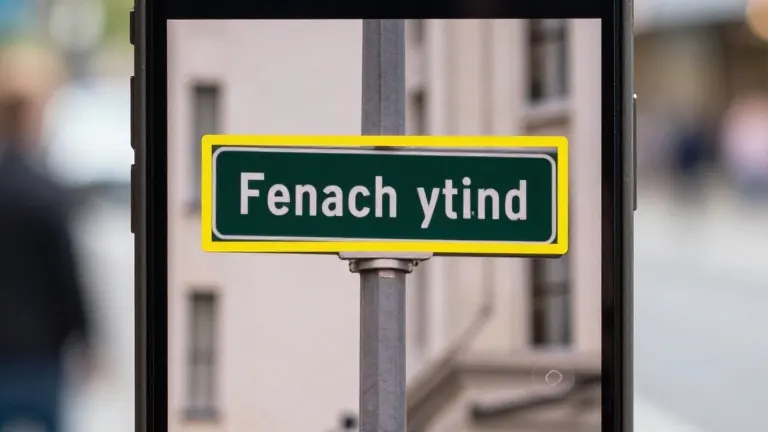
Users can leverage the Live Text feature to translate text in real time. To activate this, the camera must point at the text, which triggers a yellow frame. Tapping the Live Text button in the lower right corner followed by the translate option displays the translation. The system also supports currency and unit conversions through the same mechanism.
Live Text extends to practical navigation tasks. Pointing the camera at a phone number or website URL presents options to call the number or open the link, eliminating the need for manual typing. The camera also functions as a scanner for QR codes, providing a tappable link when it detects the pattern.
For users with vision needs or those viewing distant objects, the camera serves as a digital magnifier. While the interface includes preset zoom levels, users can pinch the screen to increase magnification further. Holding down a zoom preset and dragging it to the left adjusts the zoom level manually.
Video recording capabilities include Action Mode, a stabilization tool designed for handheld shooting. Available on the iPhone 14 and newer models, this feature reduces shake in footage. Apple states the tool performs best in bright lighting conditions. Users access the mode by tapping a six-dot button in the bottom right corner of the video interface.
Cinematic mode offers depth of field control for video creators. This feature keeps the main subject in focus while blurring the background. The system automatically tracks moving subjects to maintain focus and shifts focus when it detects a new person in the frame. Manual focus adjustment is also possible during recording. The feature is available on the iPhone 13 mini and all subsequent models.
These tools have been integrated into the camera app since the device's early days, though video quality has evolved from the 2009 iPhone 3GS era. The current software suite plans to reduce reliance on separate applications for common tasks like translation and video editing.
Apple positions these features as part of a wider utility set for everyday use. The camera app now handles specific operational tasks, from financial conversions to visual assistance, reducing the steps required for users to complete these actions.